
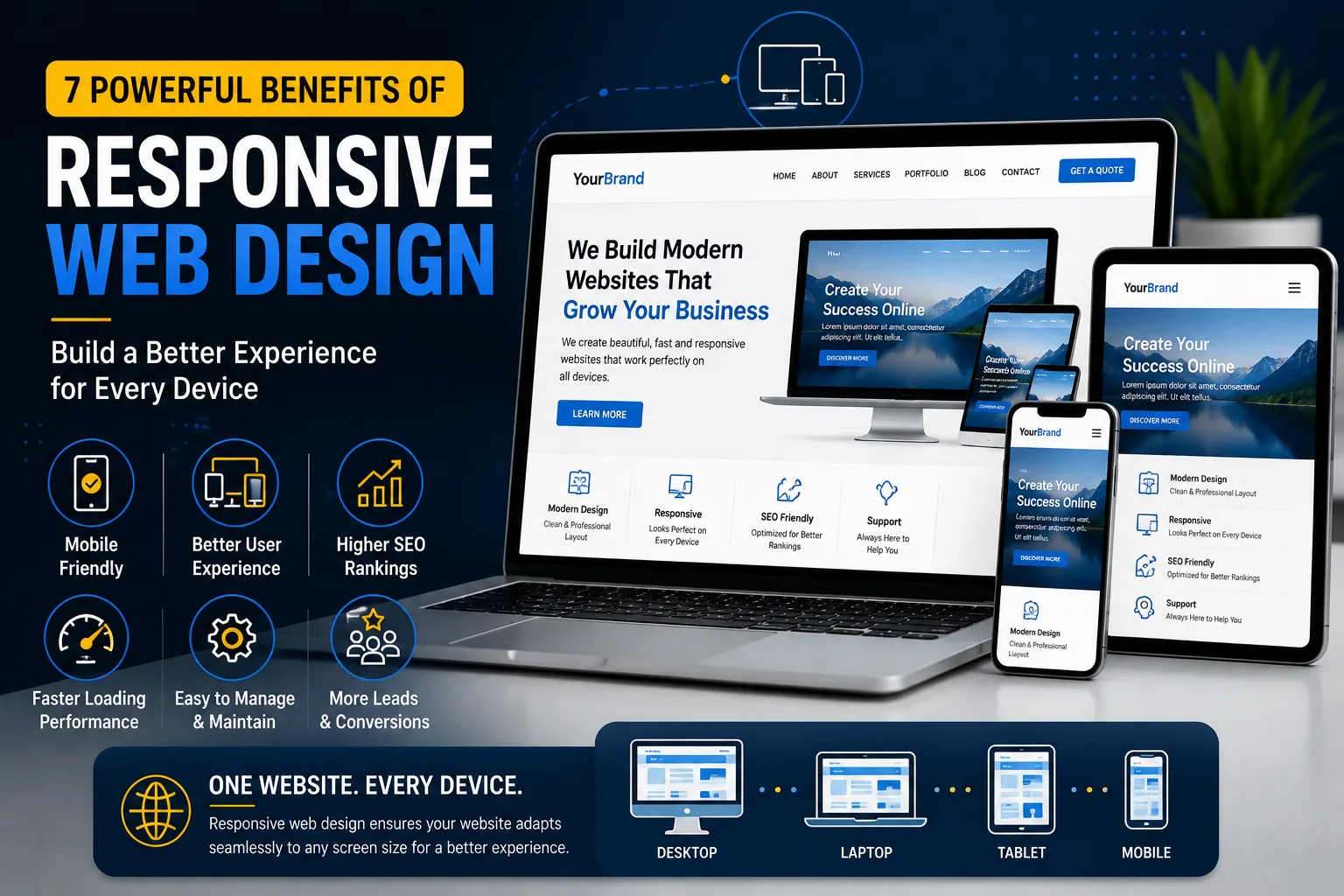
Today, people access websites using smartphones, tablets, laptops, and desktop computers. Because visitors use different screen sizes, businesses need websites that can provide a consistent experience across all devices.
This is where responsive web design becomes important.
A responsive website automatically adjusts its layout, images, typography, navigation, and other elements according to the visitor's screen size. Instead of creating completely separate websites for different devices, one website can adapt to different environments.
For businesses, this can improve usability, accessibility, performance, and customer satisfaction.
In this article, we will explore 7 powerful benefits of responsive web design and explain why it should be an important part of your website strategy in 2026.
What Is Responsive Web Design?
Responsive web design is an approach to website development where a website automatically adapts to different screen sizes and devices.
A desktop computer may have a large horizontal display, while a smartphone has a much smaller vertical screen. A responsive layout adjusts accordingly.
For example, a desktop website might display three service cards in one row. On a smartphone, those same cards can automatically move into a vertical layout that is easier to read.
Responsive design can adjust:
- Page layouts
- Font sizes
- Images
- Navigation menus
- Buttons
- Columns
- Spacing
- Forms
- Videos
- Content sections
The goal is simple: make the website easy to use regardless of the device.
1. Better Mobile User Experience
One of the biggest advantages of responsive web design is a better experience for mobile users.
Imagine visiting a website on your phone and discovering that the text is too small, buttons are difficult to tap, and the page requires horizontal scrolling.
That creates frustration.
A responsive website solves many of these problems by adapting the content to the available screen space.
Mobile users should be able to:
- Read text comfortably
- Navigate the website easily
- Tap buttons without difficulty
- Complete forms
- View images properly
- Find contact information quickly
- Browse services or products
A smooth mobile experience can encourage visitors to stay longer and explore more of your website.
2. Reach Customers on Every Device
Your potential customers are not all using the same device.
Some may discover your business while browsing on a smartphone. Others may visit from a laptop or desktop computer.
If your website only looks good on one type of device, you could be providing a poor experience to a significant portion of your audience.
With responsive web design, the same website can adapt to different devices.
This allows your business to maintain a consistent online presence across:
- Smartphones
- Tablets
- Laptops
- Desktop computers
- Large monitors
A consistent experience helps your brand appear more professional and reliable.
3. Improve Website Usability
Website usability is about how easily visitors can understand and interact with your website.
A website may have excellent content, but if visitors cannot find the information they need, the design is not doing its job.
Responsive layouts can improve usability by reorganizing content based on screen size.
For example, a navigation menu that works well on a desktop may be replaced with a mobile menu on smaller screens.
Similarly, large desktop sections can be simplified for smartphones.
Good responsive web design focuses on the user's needs instead of simply shrinking a desktop website.
4. Support Search Engine Optimization
Responsive design can also support your SEO strategy.
Google provides guidance for creating mobile-friendly websites and recommends responsive web design as a practical implementation approach.
You can learn more through Google Search Central.
Search engines consider the quality of the user experience when evaluating websites, and mobile usability is an important consideration.
A responsive website also allows you to maintain one primary website rather than managing separate desktop and mobile versions.
This can simplify your SEO and content management strategy.
For businesses investing in organic search, responsive web design should therefore be considered during the initial development process rather than added later.
5. Reduce Website Maintenance
Imagine having separate versions of your website for desktop and mobile.
Whenever you update your content, you may need to check both versions. This can make website management more complicated.
With responsive design, you generally maintain one website that adapts to different screen sizes.
When you update:
- Text
- Images
- Services
- Products
- Blog posts
- Contact information
the same content can be displayed across different devices.
This can reduce unnecessary maintenance and make future updates easier.
A well-built responsive website is therefore not only better for visitors but also easier for business owners and developers to manage.
6. Improve Conversion Opportunities
The main purpose of many business websites is to generate an action.
That action could be:
- Sending a message
- Calling the business
- Booking an appointment
- Requesting a quotation
- Purchasing a product
- Signing up for a service
- Completing a contact form
If these actions are difficult to complete on mobile devices, your business may lose potential customers.
Responsive design allows important conversion elements to adapt to smaller screens.
For example, a desktop contact form with multiple columns may become a simple single-column form on mobile.
Buttons can also be resized and repositioned to make them easier to tap.
Effective responsive web design therefore supports both user experience and business goals.
7. Create a More Professional Brand Image
Your website is often one of the first places where potential customers interact with your brand.
A website that looks broken on mobile devices can create a negative impression.
On the other hand, a website that adapts smoothly across different screens demonstrates attention to detail.
Professional design includes more than colors, fonts, and images.
It also means ensuring that the website works properly.
A responsive website can communicate that your business cares about quality and customer experience.
Responsive Web Design and Website Speed
Responsive design and website performance should work together.
A responsive website is not automatically a fast website.
Large images, excessive animations, unnecessary scripts, poorly optimized plugins, and inefficient code can still make a responsive website slow.
To improve performance, developers can consider:
- Compressing images
- Using modern image formats
- Removing unnecessary scripts
- Minimizing excessive animations
- Optimizing CSS and JavaScript
- Using suitable hosting
- Reducing unnecessary plugins
- Implementing caching where appropriate
Google's PageSpeed Insights can be used to analyze website performance and identify potential improvements.
A successful website should aim for both responsive web design and strong performance.
Common Responsive Design Mistakes
Responsive design requires careful testing.
Here are some common mistakes that should be avoided.
Tiny Text
Text that looks acceptable on a desktop may become difficult to read on a smartphone.
Small Buttons
Buttons need enough space for users to tap them comfortably.
Horizontal Scrolling
Visitors should generally not need to scroll horizontally to view important content.
Broken Images
Images should resize correctly without becoming distorted or overflowing their containers.
Poor Mobile Navigation
Complex desktop navigation menus may not work well on small screens.
Overcrowded Layouts
Trying to fit too much information into a small screen can make the website difficult to understand.
Ignoring Tablet Devices
Responsive testing should not focus only on desktop and mobile. Tablets and intermediate screen sizes should also be tested.
How to Create a Responsive Website
Creating a responsive website requires more than simply changing the width of a few elements.
A professional development process should include several stages.
1. Plan the Layout
Determine how important sections should behave on different screen sizes.
2. Use Flexible Layouts
Modern CSS techniques such as Flexbox and CSS Grid can create flexible layouts.
3. Optimize Images
Images should be appropriately sized and optimized for performance.
4. Create Responsive Typography
Font sizes and line heights should remain readable across different devices.
5. Build Mobile-Friendly Navigation
Navigation should be simple and easy to use on smaller screens.
6. Test Different Screen Sizes
The website should be tested on multiple devices and viewport sizes.
7. Test Real User Actions
Don't only check how the website looks. Test forms, buttons, menus, links, shopping carts, and other important functions.
8. Optimize Performance
After the responsive layout is complete, review loading speed and performance.
This process helps create a website that works rather than simply looks good.
Why Responsive Design Matters for Small Businesses
Small businesses often need to make the most of every potential customer.
If a visitor discovers your business through Google or social media and lands on a website that does not work properly on their phone, you may lose that opportunity.
A responsive website gives small businesses a stronger digital foundation.
For example, a local restaurant can allow visitors to view its menu and contact information from a smartphone.
A freelancer can showcase a portfolio and allow potential clients to send inquiries.
An online store can provide customers with a smooth browsing and purchasing experience.
A service company can allow visitors to request quotations or book appointments.
These experiences can directly support business growth.
Responsive Design for WordPress Websites
If you are using WordPress, responsive design should be considered during both design and development.
Page builders such as Elementor provide responsive controls that allow developers to adjust layouts, spacing, typography, and visibility for different devices.
However, responsive design should not rely entirely on a visual editor.
A professional WordPress website should still be tested carefully because different themes, plugins, widgets, and custom code can affect how a website behaves on smaller screens.
If you are interested in WordPress development, you can also read my guide about WordPress website development.
How I Can Help
I design and develop modern websites with a strong focus on usability, responsive layouts, and professional visual presentation.
My services include:
- Responsive web design
- WordPress website development
- Elementor website development
- Business website design
- Portfolio website design
- Landing page design
- Website optimization
- Website maintenance
You can view my previous projects on my portfolio.
If you are planning to create a new website or improve an existing one, you can contact me to discuss your project.
Final Thoughts
A website needs to work for every visitor, regardless of the device they use.
Responsive web design helps businesses create a consistent, accessible, and professional experience across smartphones, tablets, laptops, and desktop computers.
It can improve usability, support SEO, simplify maintenance, strengthen your brand image, and create better opportunities for conversions.
However, responsive design should not be treated as a final adjustment.
It should be part of the website strategy from the beginning.
When design, development, performance, content, SEO, and user experience are considered together, your website becomes more useful for both your customers and your business.
In 2026, having a website is important—but having a website that works exceptionally well across every device is even more important.
Build once. Adapt everywhere. Give every visitor a better experience.
Need help with your website?
I design and develop modern, responsive, and fast websites focused on your business goals. From business sites to e-commerce and custom web apps — let's build something that works for you.